
|
joyoftournaments.com |

|
|
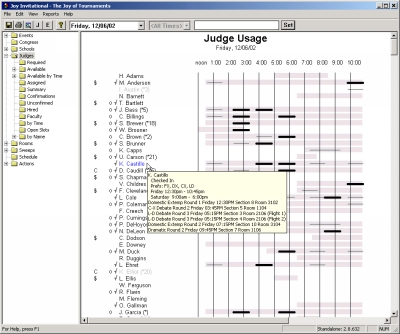
The software allows you to visually manage judge assignments. This screen demonstrates the Judge Usage view. Each of the judges is listed along with relevant information for each judge. The lighter gray bars beside each judge indicate the times the judge has been marked as available. The smaller black bars indicate assignments that have been given to the judge. The darker black bars indicate ballots that have not yet been recorded and the lighter bars show the ballots that have already been entered. To the left of each judge are several marks. The dollar signs indicate the judges that are hired. Coaches are marked with a 'C'. The diamonds indicate judges with a confirmed status. The check marks indicate judges that have checked-in. Pausing over the name of a judge with the mouse reveals a tip giving more detailed information about the specific judge.
|
| © Copyright 2002. Brent Hinkle. All rights reserved. |